By GraphDex Research · Reviewed for accuracy May 2026
Quick Answer
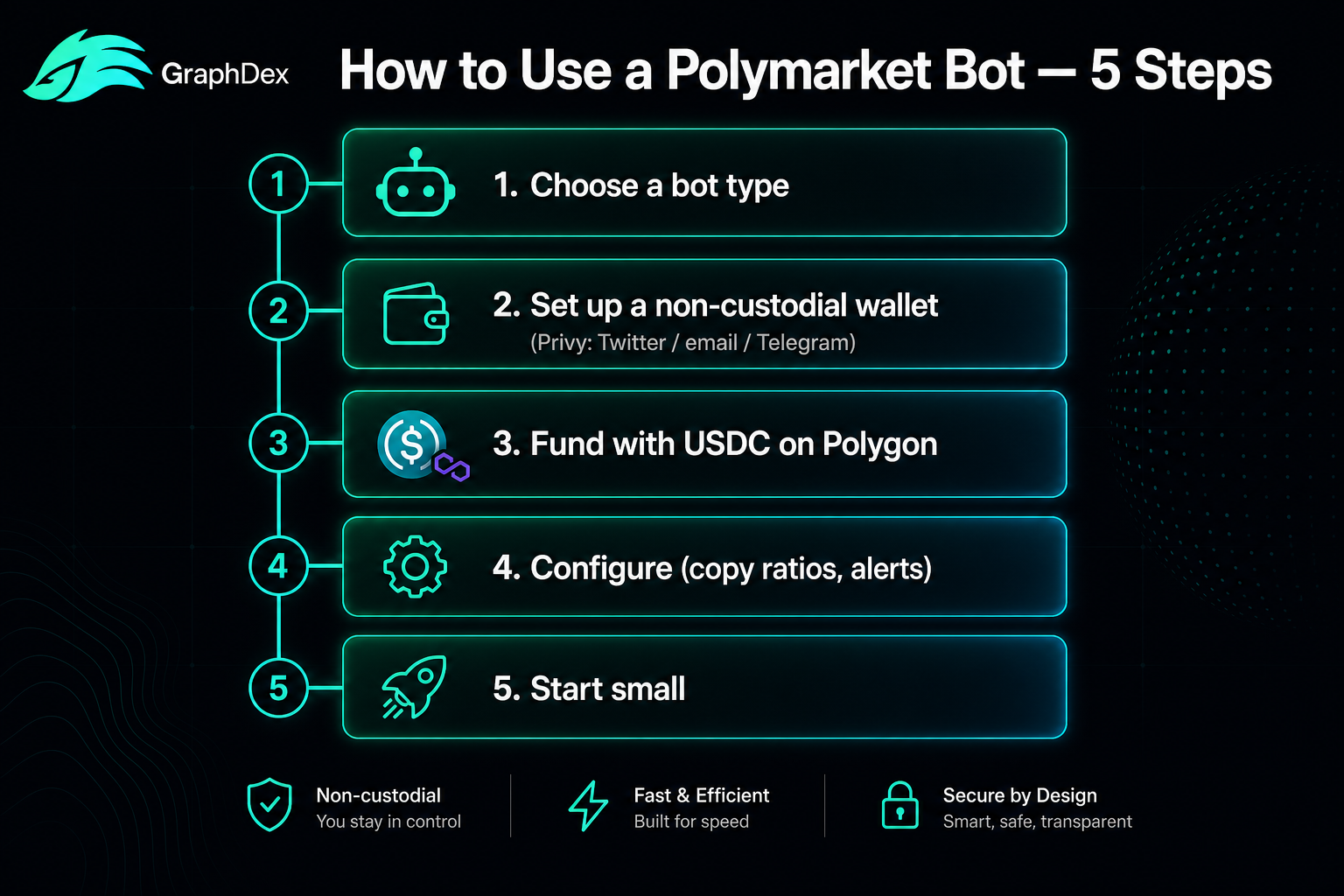
Using a Polymarket bot takes five steps:
- Choose a bot type — execution terminal (GraphDex), copytrading (Olympus), analytics (PolySights), or Telegram bot (PolyCule)
- Set up a non-custodial wallet — critical for safety (GraphDex uses Privy: sign in with Twitter/email/Telegram, no seed phrase)
- Fund the wallet — USDC on the appropriate network for prediction-market trading
- Configure the bot — set copytrading ratios, alerts, or execution parameters
- Start trading or copying — begin with small amounts to verify everything works
Critical safety: Use only non-custodial bots from verified sources. In December 2025, a popular open-source Polymarket bot was found stealing private keys. Never share your private keys or seed phrase.
Start trading Polymarket on GraphDex
Key Takeaways
- Using a Polymarket bot involves choosing a tool, setting up a non-custodial wallet, funding, and configuring.
- Non-custodial tools (you control keys) are essential — custodial and unverified bots carry theft risk.
- Start with small amounts to verify the bot works before committing significant capital.
- Different bot types serve different needs: execution, copytrading, analytics, or Telegram trading.
What Does a Polymarket Bot Actually Do?
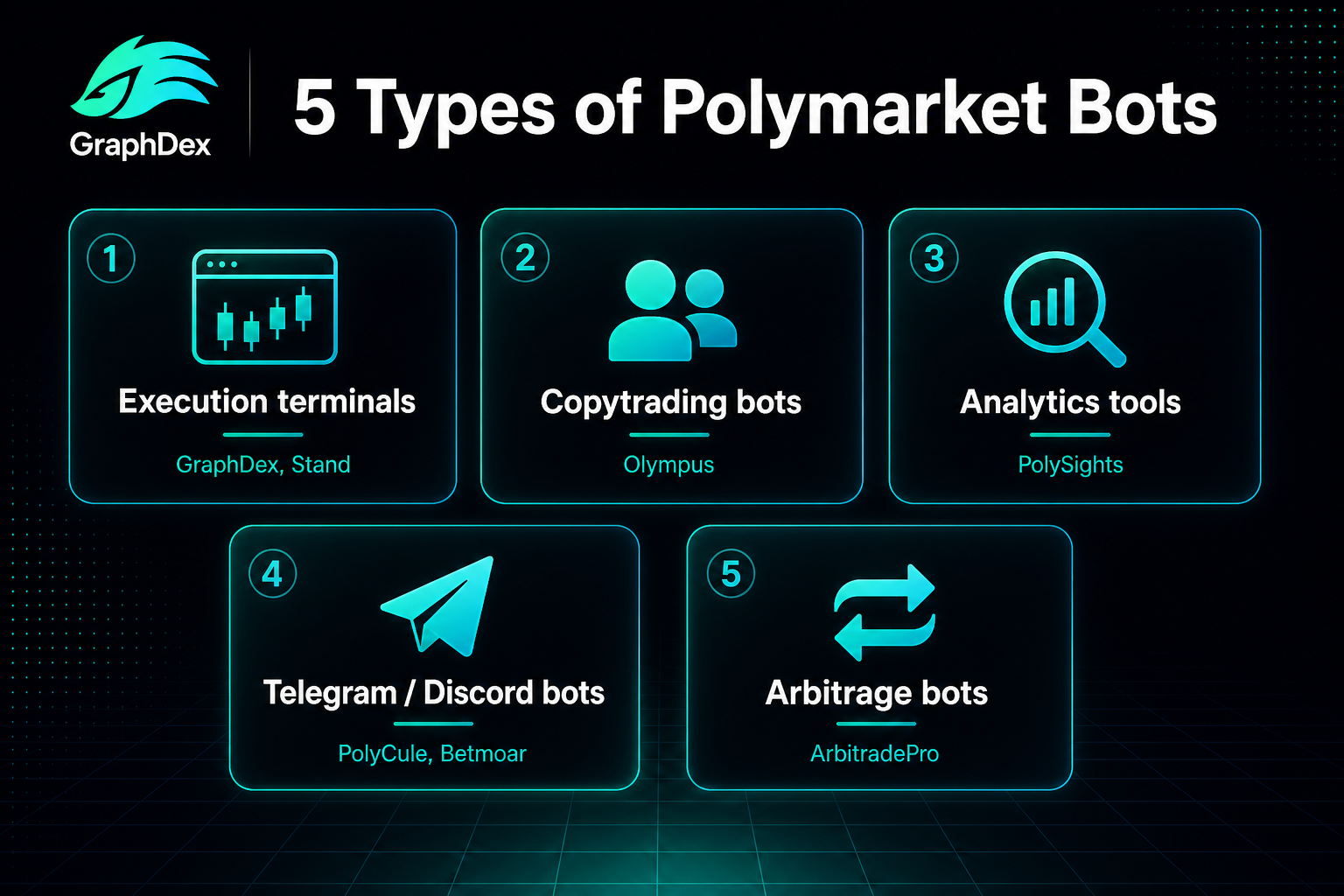
Before using one, understand what a Polymarket bot accomplishes. "Bot" is a broad term covering several tool types:
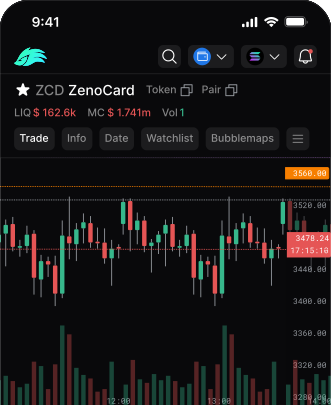
Execution terminals (GraphDex, Stand) — Provide a fuller interface for trading Polymarket markets with charts, multiple order types, and analytics. Often integrate other functions.
Copytrading bots (Olympus, GraphDex's built-in) — Automatically mirror successful traders' positions in your account.
Analytics tools (PolySights, Wincy) — Track whale movements, flag insider trades, and alert you to probability shifts. Don't execute trades themselves.
Telegram/Discord bots (PolyCule, PolyBot, Betmoar) — Enable trading or alerts directly from chat apps.
Arbitrage bots (ArbitradePro) — Automatically spot and execute price discrepancies between markets or venues.
Your first decision: What do you actually want to accomplish? Trade manually with better tools (terminal)? Copy successful traders (copytrading)? Get alerts (analytics)? Trade from Telegram (Telegram bot)? This determines which bot to use.
Step 1: Choose the Right Bot Type
Match the bot to your goal:
If You Want to Trade Yourself with Better Tools
Choose an execution terminal: GraphDex (integrated with broader trading), Stand (multi-venue aggregation).
These provide charts, multiple order types, and analytics that the base Polymarket interface lacks. You make the decisions; the terminal improves your execution.
If You Want to Copy Successful Traders
Choose a copytrading bot: GraphDex (integrated copytrading), Olympus/PolyFollow (dedicated), Stand (with counter-trading option).
These automatically mirror chosen traders' positions. You select who to copy; the bot handles execution.
If You Want Research and Alerts
Choose an analytics tool: PolySights/HashDive (whale tracking), Wincy (position-holder analysis), Alphascope (AI signals).
These don't execute trades — they surface information. Pair with an execution tool.
If You Live in Telegram
Choose a Telegram bot: PolyCule, PolyBot (non-custodial).
Trade Polymarket directly from chat with simple commands.
For most users: An integrated terminal like GraphDex covers the most ground — execution, copytrading, and analytics in one place, reducing the need for multiple tools.
Step 2: Set Up a Non-Custodial Wallet
This step is critical for safety. The custody model determines whether your funds are truly yours.
Custodial vs Non-Custodial
Custodial bots hold your funds. You log in with email/password. Convenient, but you're trusting the bot operator's solvency and security. If they fail or get hacked, your funds are at risk.
Non-custodial bots let you control your private keys. The bot executes trades through your wallet, but never has independent access to your funds. This is strongly preferred.
Why Non-Custodial Matters
In December 2025, researchers found malicious code in a popular open-source Polymarket GitHub bot that was stealing users' private keys. Non-custodial architecture eliminates this entire risk class — even a malicious bot can't drain a properly non-custodial wallet.
Setting Up Non-Custodial Access
Modern approach (GraphDex / Privy): Sign in with Twitter, email, or Telegram. A non-custodial wallet is generated using MPC (multi-party computation) — your keys are split, neither party alone can access funds, and there's no seed phrase to lose or have stolen.
Traditional approach (MetaMask, etc.): Create a wallet, securely store your seed phrase (offline, never digital), and connect it to the bot.
For Polymarket specifically: Polymarket operates on Polygon, so you'll need a wallet that supports Polygon. Many terminals abstract this complexity.
Step 3: Fund Your Wallet
Prediction-market trading requires funding your wallet with the appropriate currency.
What to Fund With
For Polymarket: USDC on Polygon is the standard trading currency. You'll need:
- USDC for actual trading
- A small amount of POL (Polygon's gas token) for transaction fees (often abstracted by terminals)
Funding methods:
- Buy USDC on an exchange (Coinbase, Kraken, Binance)
- Transfer to your wallet on the Polygon network
- Verify the funds arrived before trading
For integrated terminals (GraphDex): The terminal may abstract some of this — handling network specifics so you focus on trading. Check the specific platform's funding flow.
How Much to Start With
For learning: Start with $50-$200. Enough to make real trades and learn the mechanics without significant risk.
For copytrading: Larger amounts make copytrading meaningful (small amounts result in tiny positions), but still start small to verify the setup works before scaling.
Critical: Never fund with more than you can afford to lose entirely, especially while learning. Prediction markets carry real risk.
Step 4: Configure the Bot
Configuration depends on the bot type.
For Execution Terminals
- Set up your watchlist of markets
- Configure chart preferences
- Set default order parameters
- Enable any alerts you want
For Copytrading Bots
This is where configuration matters most:
Choose traders to copy: Evaluate based on track record (6+ months), win rate, average win/loss size, drawdowns, and whether their strategy is replicable. Diversify across 3-7 traders rather than copying one.
Set copy ratios: Most platforms allow 0.1× to 1× ratios. A 0.5× ratio means you take half the position size of the trader you're copying. Start conservative.
Set risk limits: Maximum position sizes, daily loss limits, execution timeouts (to avoid stale copies).
Choose auto-execute vs manual confirm: Auto-execute mirrors trades instantly; manual confirm lets you approve each trade. Beginners often prefer manual confirm initially.
For Analytics Tools
- Set up whale alerts (wallet sizes to track)
- Configure probability-shift thresholds
- Choose markets/categories to monitor
- Set notification preferences
Step 5: Start Trading or Copying
With everything configured, begin — carefully.
The First-Trade Protocol
1. Start with the smallest possible position. Verify the entire flow works — wallet connection, execution, confirmation — before committing real capital.
2. Verify execution. Did the trade execute at the expected price? Were fees what you anticipated? Did it appear correctly in your positions?
3. Test the exit. Place a small exit to confirm you can actually close positions (avoiding the "honeypot" risk where you can buy but not sell).
4. Scale gradually. Only after verifying everything works, gradually increase position sizes within your risk limits.
Ongoing Best Practices
Monitor regularly. Even automated bots need oversight. Check positions, performance, and that the bot is functioning correctly.
Journal your trades. Document what you trade (or copy), why, and outcomes. Patterns emerge over time.
Manage risk. Apply position sizing rules, never risk more than you can afford to lose, and diversify.
Stay updated. Bot platforms update; markets evolve; regulations change. Stay informed.
Critical Safety Checklist
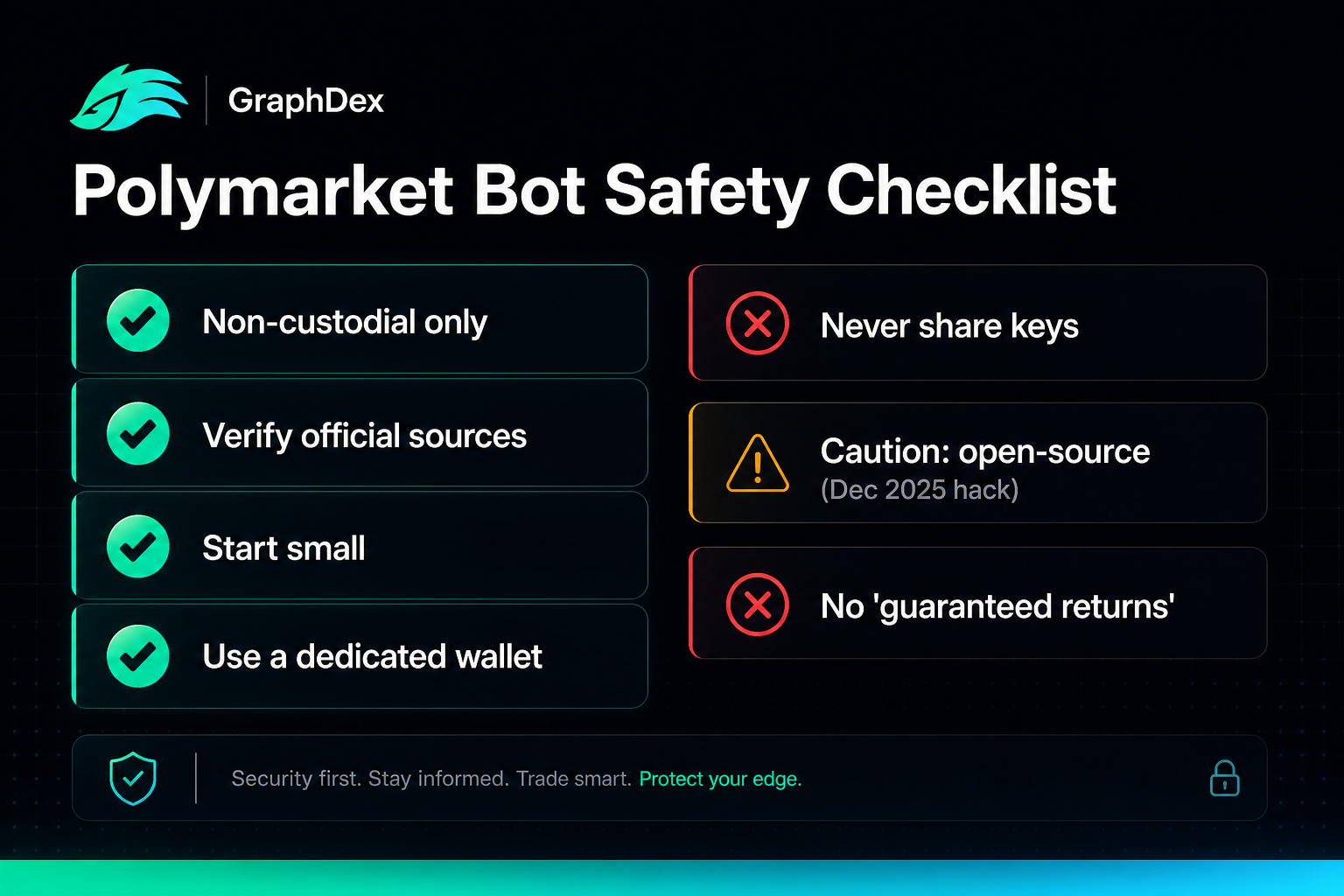
Prediction-market bots handle real money. Follow these rules without exception:
1. Use only non-custodial bots. You control your keys. Custodial bots add solvency and security risk.
2. Verify official sources. Use only official links from verified project channels (official website, verified social accounts). Fake versions of popular bots appear constantly.
3. Never share private keys or seed phrases. No legitimate bot needs these. Anyone asking is a scammer.
4. Be extremely cautious with open-source bots. The December 2025 incident showed even popular GitHub bots can contain key-stealing code. Audit code yourself or use established non-custodial platforms.
5. Start with small amounts. Verify the entire setup with minimal capital before scaling.
6. Use a dedicated wallet. Don't connect your main holdings wallet. Use a separate wallet funded only with trading capital.
7. Beware "guaranteed returns." No bot guarantees profit. Marketing promising specific returns is a red flag.
8. Check custody explicitly. "Non-custodial" should be verifiable. If unclear, assume custodial and proceed with extreme caution.
Common Beginner Mistakes
For balance, the mistakes that cost new Polymarket bot users:
1. Using custodial or unverified bots. The #1 cause of losses. Stick to non-custodial, verified tools.
2. Funding too much initially. Start small. Verify everything works before scaling.
3. Copying a single trader. Diversify across multiple traders. Single-trader copying concentrates risk.
4. Auto-executing without understanding. Use manual confirm until you understand how the bot behaves.
5. Ignoring the exit. Test that you can close positions before committing capital.
6. No risk limits. Set maximum position sizes and loss limits before trading.
7. Chasing "$500/day" promises. Realistic returns require significant capital and good trader selection. Marketing promises are usually fiction.
8. Sharing keys "to set up the bot." No legitimate setup requires your private keys. This is always a scam.
How GraphDex Simplifies Polymarket Bot Usage
GraphDex addresses the main friction points of using Polymarket bots:
Non-custodial by default. Privy-based wallets — sign in with Twitter, email, or Telegram. No seed phrase to lose, no custody risk. Your keys remain yours.
No tool juggling. Copytrading, direct trading, analytics (Bubble Maps), and AI signals are integrated — no need to run separate bots for each function.
Capital efficiency. Between prediction-market opportunities, idle capital earns up to 17% APY staking or trades Solana — no dead money.
Simple onboarding. The social-login flow eliminates the wallet-setup complexity that intimidates beginners.
Broader integration. If you also trade crypto, prediction markets live in the same terminal — one tool instead of many.
For users intimidated by the typical Polymarket bot setup (wallets, seed phrases, multiple tools), the integrated non-custodial approach removes most friction.
Set up Polymarket trading in minutes on GraphDex
Start trading Polymarket simply on GraphDex
Frequently Asked Questions
How do I use a Polymarket bot? Five steps: (1) Choose a bot type matching your goal — execution terminal, copytrading, analytics, or Telegram bot; (2) Set up a non-custodial wallet (GraphDex uses Privy — sign in with Twitter/email/Telegram); (3) Fund with USDC on Polygon; (4) Configure the bot (copy ratios, alerts, parameters); (5) Start with small amounts to verify everything works before scaling.
Do I need to code to use a Polymarket bot? No. Modern Polymarket bots (GraphDex, Olympus, Stand, PolyCule) require no coding — web or Telegram interfaces handle everything. Coding is only needed for custom bots built with Polymarket's Gamma and CLOB APIs. For nearly all users, no-code platforms cover every need.
What wallet do I need for a Polymarket bot? A non-custodial wallet supporting Polygon (Polymarket's network). Modern terminals like GraphDex use Privy — sign in with Twitter/email/Telegram and a non-custodial wallet is created without a seed phrase. Traditional options include MetaMask. Always use non-custodial wallets where you control the keys.
How much money do I need to start? For learning, $50-$200 is enough to make real trades and understand the mechanics. For meaningful copytrading, larger amounts make positions worthwhile, but still start small to verify your setup works before scaling. Never fund with more than you can afford to lose, especially while learning.
Are Polymarket bots safe to use? Only if non-custodial and from verified sources. In December 2025, a popular open-source Polymarket bot was found stealing private keys. Safe usage requires: non-custodial tools (you control keys), verified official sources, never sharing private keys, starting with small amounts, and using a dedicated wallet separate from main holdings.
Can I lose money using a Polymarket bot? Yes. Bots are tools, not profit guarantees. You can lose from: bad trades or copying unprofitable traders, market movements against your positions, theft (if using unsafe custodial/unverified bots), and execution issues. Bots improve execution and access but don't eliminate the inherent risk of prediction-market trading. Never risk more than you can afford to lose.
What's the easiest Polymarket bot for beginners? Integrated terminals with social login (like GraphDex via Privy) are often easiest — no seed phrase, no complex wallet setup, copytrading and trading in one place. Telegram bots (PolyCule, PolyBot) are simple for chat-based trading. The "easiest" depends on your comfort level, but non-custodial with simple onboarding reduces the most friction for beginners.
About This Guide
This guide is published by the GraphDex Research team — analysts and traders building the infrastructure for digital asset trading on Solana. Our content is based on direct experience, current platform information, and 2026 market data.
Sources & data: Bot setup processes and safety considerations reflect publicly available information as of 2026 and may change. Prediction-market trading carries risk including loss of capital. This guide is educational and not financial advice — always do your own research and verify platform safety.
GraphDex is the infrastructure for digital asset trading — trade, predict, and earn in one place. Learn more at graphdex.io.
Last reviewed: May 2026 · GraphDex Research
The infrastructure for digital asset trading. Trade, predict, stake, repeat. graphdex.io